Template Rendering in Rust using Askama [Part-2]
Introduction
This is a continuation of Part-1 of the tutorial where we created an HTTP server and added a welcome page. In this part, we will include functionality to add data to our music store and list them.
Data Storage
We can store data in any external database but for simplicity, we will store data in memory.
We will use a hashmap to store data and use a read-write lock for concurrency.
Let's define the required data structs in the db.rs file.
use lazy_static::lazy_static;
use serde::Deserialize;
use std::collections::HashMap;
use std::sync::*;
type DB = HashMap<u64, Music>;
lazy_static! {
pub static ref MUSIC_DB: RwLock<DB> = Default::default();
}
Default Deserialize Clone
pub struct Music {
pub id: u64,
pub song: String,
pub artist: String,
pub genre: String,
}We used lazy_static to initialize our DB at runtime.
Let's add a few helper functions to access the DB and get and insert data.
We will implement our custom error type MusicError in the next section.
fn music_db_read() -> Result<RwLockReadGuard<'static, DB>, MusicError> {
    MUSIC_DB.read().map_err(|e| HttpError::from(format!("{e}")))
}

fn music_db_write() -> Result<RwLockWriteGuard<'static, DB>, MusicError> {
    MUSIC_DB.write().map_err(|e| HttpError::from(format!("{e}")))
}

pub fn music_db_data() -> Result<Vec<Music>, MusicError> {
    let data = music_db_read()?.clone().into_values().collect();
    Ok(data)
}

pub fn insert_data_to_db(mut music: Music) -> Result<(), MusicError> {
    let mut db = music_db_write()?;
    music.id = db.len() as u64;
    db.insert(music.id, music);
    Ok(())
}
music_db_read function acquires a read lock on the DB and returns DB with a read guard while music_db_write acquires a write lock and returns DB with a write guard.
music_db_data function gets values from our DB and collects them into a vector.
insert_data_to_db function writes data to DB.
Custom Error
Defining a custom error type requires Debug and Display traits to be implemented.
And returning our custom error as an API response from actix-web server requires ResponseError trait to be implemented.
Let's define MusicError in music_error.rs file.
use actix_web::ResponseError;
use std::fmt::{Display, Formatter, Result};
Debug
pub struct MusicError {
msg: String,
}
impl From<String> for MusicError {
fn from(msg: String) -> Self { Self { msg } }
}
impl Display for MusicError {
fn fmt(&self, f: &mut Formatter<'_>) -> Result {
write!(f, "Error while processing Request: {}", self.msg)
}
}
impl ResponseError for MusicError {}We have also implemented conversion from String to MusicError using From trait.
Create Templates
Now let's include templates to add and list music records from our service.
Adding HTML files
We will extend index.html file to include add_music and music_list blocks.
Add below add_music.html and list_music.html files to the templates directory.
{% extends "index.html" %}
{% block add_music %}
form action"/add_music_to_db" method"post"
div class"mb-3"
label for"songName" class"form-label"Song Namelabel
input type"text" class"form-control" id"songName" name"song" placeholder"Enter song name"
div
div class"mb-3"
label for"artistName" class"form-label"Artist Namelabel
input type"text" class"form-control" id"artistName" name"artist" placeholder"Enter artist name"
div
div class"mb-3"
label for"genre" class"form-label"Genrelabel
input type"text" class"form-control" id"genre" name"genre" placeholder"Enter genre"
div
button type"submit" class"btn btn-primary"Add Songbutton
form
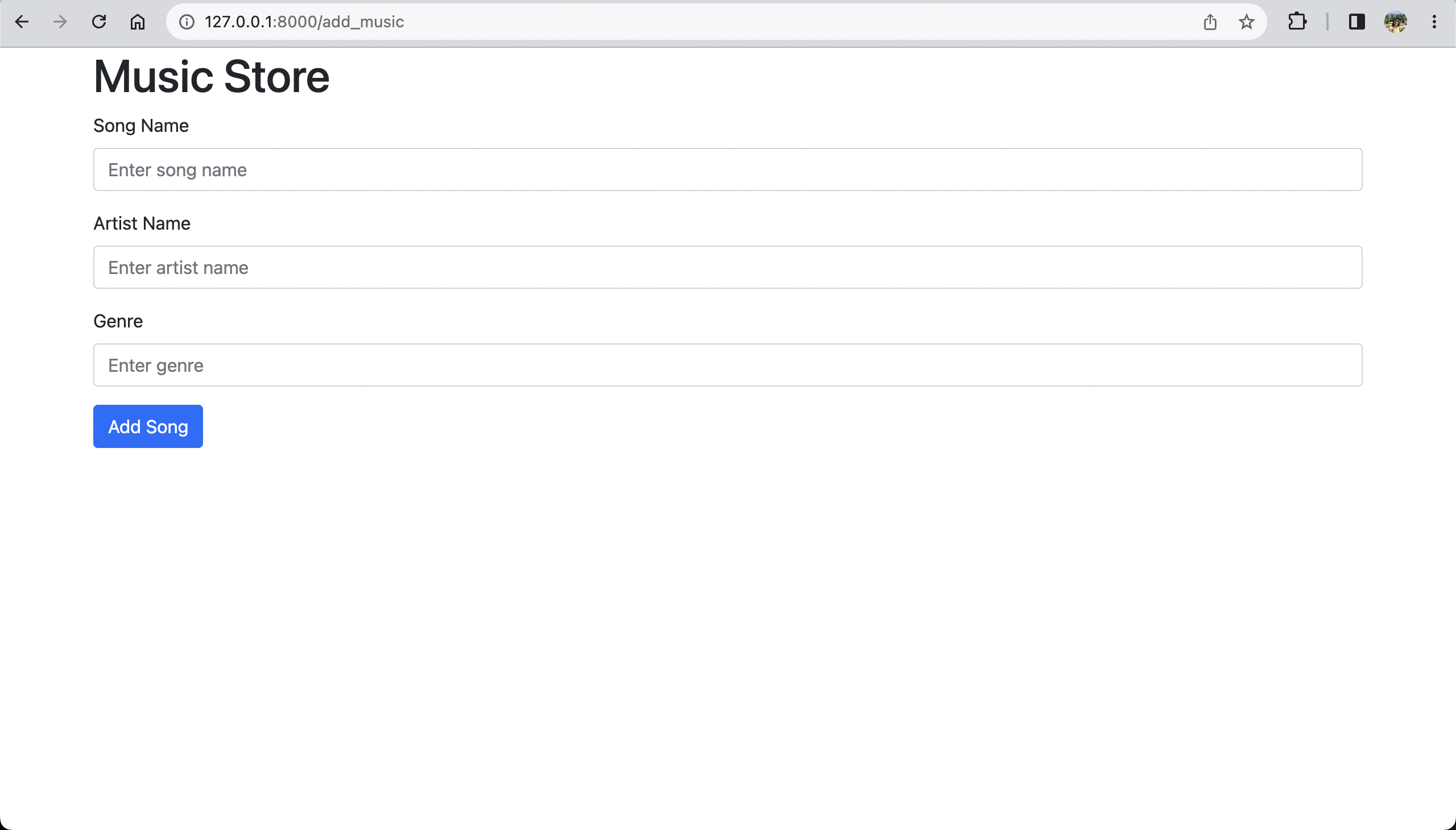
{% endblock %}The above form reads user input and triggers add_music_to_db function on submit.
In add_music_to_db function, we will use Form method from actix_web to extract the payload from above request.
The Form method maps name attribute in the form to a field in the rust struct.
We will list music records in a table format.
{% extends "index.html" %}
{% block music_list %}
table class"table table-striped"
thead
tr
th scope"col"#th
th scope"col"Song Nameth
th scope"col"Artist Nameth
th scope"col"Genreth
th scope"col"Actionsth
tr
thead
tbody
{% for music in data %}
tr
th scope"row"{{ music.id }}th
td{{ music.song }}td
td{{ music.artist }}td
td{{ music.genre }}td
td
a href"{{ "/edit_music/{}"|format(music.id) }}" class"btn btn-sm btn-primary" role"button"Edita
a href"{{ "/delete_music/{}"|format(music.id) }}" class"btn btn-sm btn-danger" role"button"Deletea
td
tr
{% endfor %}
tbody
table
a href"/add_music" class"btn btn-success" role"button"Add Musica
{% endblock %}We will define a ListMusicPage struct with a field data which will hold a list of our music records.
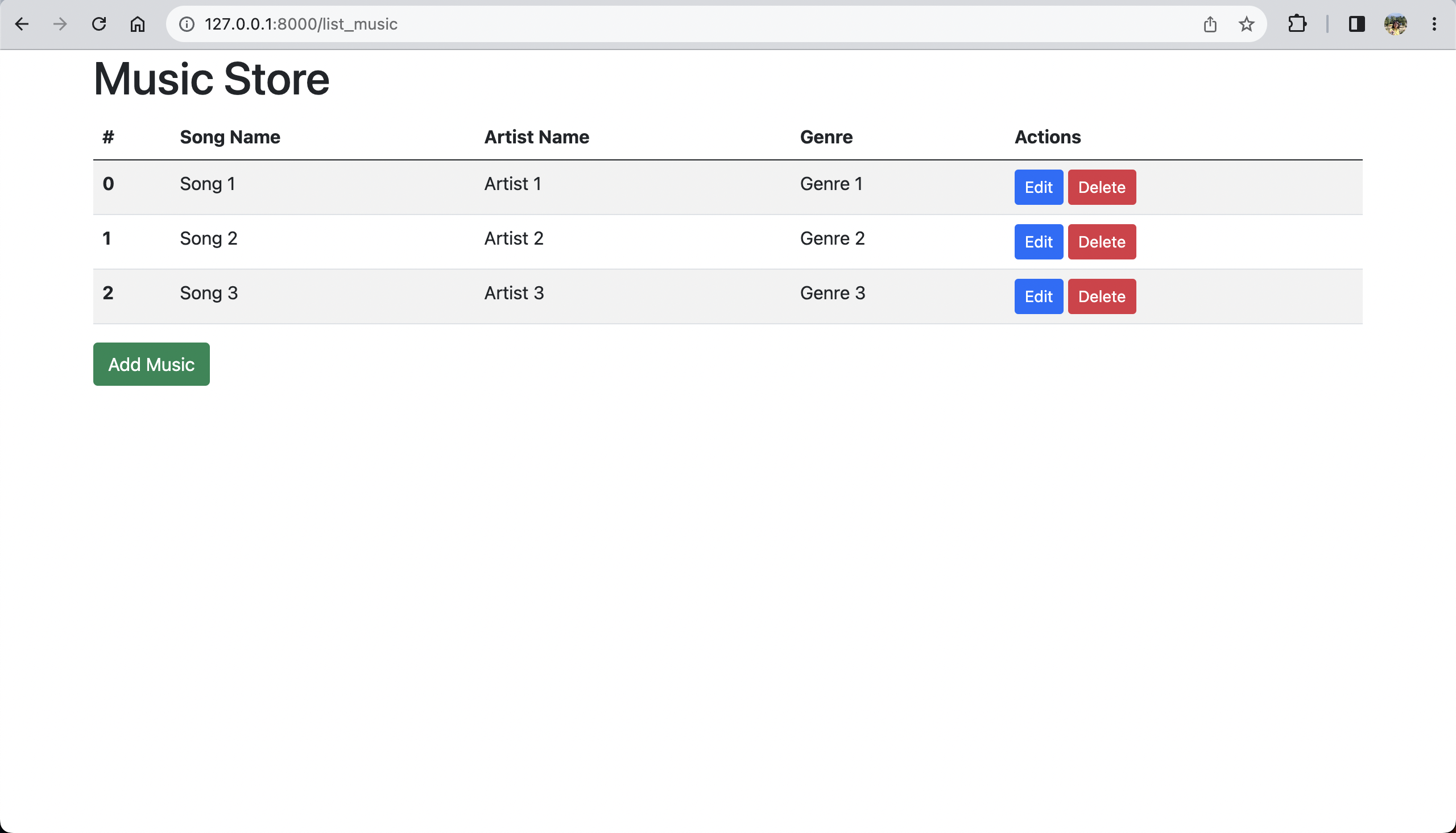
In the above HTML file, we iterate over the data and add each music record as a row into the table.
The Actions column in the table will allow us to edit or delete a record from our DB.
We will add edit and delete functionalities in the next part of this tutorial.
Http handlers
Let's add functions to handle the addition and listing of our music records in http_handlers.rs.
Template
= "list_music.html"
pub struct ListMusicPage {
data: Vec<Music>,
}
pub async fn list_music() -> Result<ListMusicPage, MusicError> {
Ok(ListMusicPage { data: music_db_data()? })
}
Template
= "add_music.html"
pub struct AddMusicPage;
pub async fn add_music() -> AddMusicPage { AddMusicPage }
pub async fn add_music_to_db(data: web::Form<Music>) -> Result<web::Redirect, MusicError> {
insert_data_to_db(data.into_inner())?;
Ok(web::Redirect::to("/list_music").see_other())
}The list_music function gets all music records from our DB and renders list_music.html.
The add_music function will render add_music.html and display the HTML form.
On submit, add_music_to_db function will be called which deserializes the form data to Music and inserts it into DB.
After adding data to DB we will redirect user to the list music page.
Let's configure routes in main.rs
fn routes(service_config: &mut ServiceConfig) {
    service_config
        .route("/", web::get().to(welcome))
        .route("/list_music", web::get().to(list_music))
        .route("/add_music", web::get().to(add_music))
        .route("/add_music_to_db", web::post().to(add_music_to_db));
}
Build and run the project to start the server.
cargo runYou can add music at http://127.0.0.1:8000/add_music
If data is added successfully, you will be redirected to http://127.0.0.1:8000/list_music
Check out the full code of this tutorial on GitHub.
See Part-3 of the tutorial where we will edit and delete data in the DB. 😀